Novation Launchpad: Clip Launching and Finger Drumming
🇩🇪 Auf Deutsch lesen~4 min read
abletonlaunchpadmidiperformancemusic
Playing the cajón: bass and slap zones, the boom-bap pattern that works everywhere with audio examples, a 6/8 variation, and why a box is the fastest way into percussion.
The Launchpad looks like a toy next to a keyboard and then quietly becomes the instrument you reach for first. Sixty-four pads in an 8×8 grid, wired to Ableton's session view — it turns arranging from a mouse task into playing.
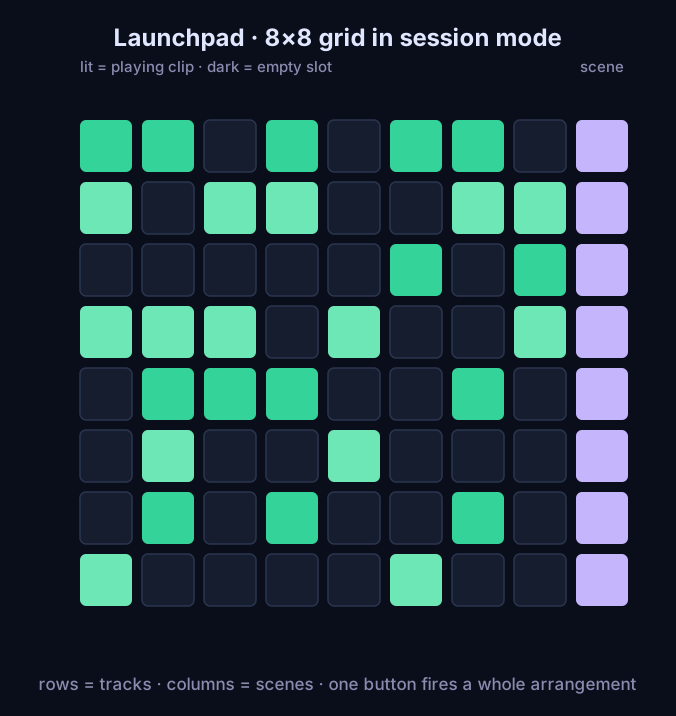 Launchpad 8x8 pad grid in session mode: lit pads are playing clips, the right column fires whole scenes
The mental model is a light switch board, not a timeline:
The sound of that workflow — a boom-bap skeleton with bass and a pluck line coming in as separate layers, exactly how a session builds:
Load a drum rack, assign the bottom rows to kick, snare, and hats, and the grid becomes a playable kit. The layout is the whole technique:
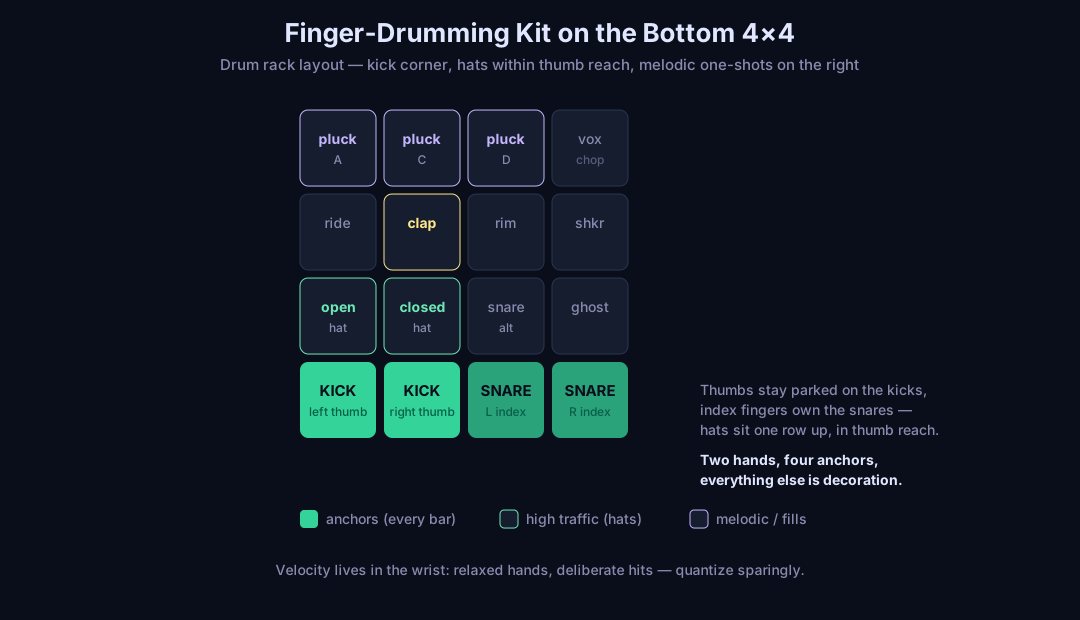 Launchpad finger drumming drum rack map: kick and snare anchors on the bottom pads, hats one row up, melodic one-shots on top
Ten minutes, no session open:
The Launchpad covers the production side of my music setup — sketching, arranging, and live triggering — while bass and percussion cover the acoustic end. Together with a harmonica in a pocket, it is a complete studio that fits on a desk. For the recording and setup side of the electric half, see the guitar series.
More instruments and projects: see the music section.
Is a Launchpad an instrument or a controller? Both. As a controller it triggers clips in Ableton's session view; as an instrument it is a finger drumming pad and a step sequencer. The difference is only whether you record the performance or not.
Do I need Ableton Live to use a Launchpad? No. Any DAW or standalone software that speaks MIDI or the Novation protocol works, and browsers with WebMIDI can drive it too. But the session-view clip workflow is where the grid layout genuinely pays off.
How do you finger drum on a Launchpad? Load a drum rack, put kick on the two bottom corner pads and snare next to them so your thumbs and index fingers have fixed anchors, hats one row up within thumb reach. Play with relaxed wrists, record the take, then quantize lightly.
Launchpad vs. MIDI keyboard: which first? For electronic music production, the Launchpad. Melodic input is slower on pads, but arranging, triggering and drum programming cover more of the daily work. A 25-key keyboard becomes interesting once you play chords and basslines in real time.